Blog: Low-Hanging Fruit

Quick, testable wins for better conversion and retention.

  • UTMs Don’t Prove Lift. Control Groups Do.

    UTMs Don’t Prove Lift. Control Groups Do.

    While interviewing candidates to backfill a lifecycle role on our LatAm team, I posed a simple scenario:

    You’ve optimized a campaign and you’re seeing a nice lift in conversions. How do you know whether those conversions came from your changes, from seasonality, or from cannibalizing another channel?

    Almost everyone gave the same answer: check the UTM codes.

    A few went a step further and suggested comparing campaign performance to overall conversion trends to rule out seasonality. But fewer than half mentioned the thing that actually answers the question of causality: a control group.

    Why UTMs (and last-click attribution) can’t prove causality

    UTMs are great at showing correlation. They help you understand where traffic or conversions were attributed—but not why they happened.

    For example:
    You send an email to 100 people. Thirty of them click and make a purchase. On paper, that looks like a win.

    But what if those same people also saw a YouTube ad earlier that day? Or a paid social ad? Or searched your brand directly and then went hunting for a promo email before buying?

    Which interaction actually caused the conversion?

    Last-click attribution (and UTMs by extension) can’t answer that. They only tell you which touchpoint happened to be last.

    Now, let’s add a control.

    Say you withheld the email from 100 otherwise eligible users. Thirty people from that group also made a purchase. The “lift” from your email doesn’t look so convincing anymore.

    If none of the control group converted, that’s a very different story. Now you’re much closer to proving impact.

    (For the sake of simplicity, we’ll ignore statistical significance here. That’s a separate post.)

    The control group concept (eligible users, no message)

    I first learned about control groups in science class. I first saw them used properly while working agency-side.

    The concept is simple: you intentionally withhold messaging from a portion of the eligible audience and compare outcomes.

    Agencies, in particular, use controls aggressively. We ran:

    • Global controls that received no messaging from an entire campaign
    • Message-level controls to measure the impact of individual emails or pushes
    • Time-based controls where a group was excluded for a week or a month to account for seasonality

    Controls let you answer the question stakeholders actually care about: Did this campaign change behavior, or would it have happened anyway? That’s why they’re an agency’s secret weapon.

    What to watch out for

    Controls are powerful, but only if you set them up correctly.

    Sample size
    You don’t need a 50/50 split. For most small-to-mid-sized sends, 10–20% is plenty. If your audience is large (20k+), even 5% can be enough.

    Contamination
    If your control group can still see the message through another channel (like a sitewide banner, in-app message, or paid ad), you’ve contaminated the test. And once that happens, your results are no longer clean.

    Overlapping journeys
    If users can enter another lifecycle or promotional flow while they’re supposed to be held out, you’re no longer testing what you think you’re testing.

    Controls require discipline. But when done well, they turn “this performed well” into “this caused lift.” And that’s the difference between reporting and strategy.


  • How to Create a Sunset Policy for Your Email Program (and Why You Need One)

    How to Create a Sunset Policy for Your Email Program (and Why You Need One)

    Why a Sunset Policy Matters

    A clear sunset policy is one of the simplest ways to protect both the performance and cost of your email program.

    • Improves deliverability: Prevents messages from drifting into spam folders by avoiding disengaged inboxes. Remember, ISPs are judging your emails and your domain by whether they are getting opened and clicked.
    • Protects sender reputation: Keeps your domain and IP associated with real engagement, not ignored sends. High click and open rates signal that you provide value.
    • Boosts engagement metrics: Sending primarily to active users lifts open rates, clicks, and conversions.
    • Saves money: Reduces contact-based costs from ESPs and CRMs that charge by audience size.

    How to Build Your Sunset Policy

    Think of your email list as a set of concentric circles, each with a clear purpose. Every contact should belong to exactly one of these groups at any given time.

    1. Define Your Emailable Range

    Suggested name: Emailable or MaxEmailable

    This is the largest audience you are willing to email under any circumstances.

    When you really need to stretch your list, for example, for a major annual sale or required operational messages, this is as far as you go.

    If you’re not sure where to start, anchor yourself in legal guidelines. While the U.S. remains relatively permissive, I typically default to CASL standards as a conservative baseline:

    • 24 months for purchasers, volunteers, or anyone with a deliberate, documented relationship (including email engagement)
    • 6 months for prospects or “looky-loos” who haven’t engaged with an email

    Yes, there are nuances. You’ll refine this over time. But this gives you a defensible starting point.

    This group must be large enough to cover operational obligations, such as:

    • Terms and conditions updates
    • Pricing or policy changes
    • Required legal notifications

    You may also tap into this group cautiously for rare, high-impact sends.

    2. Define Your Sunsetting Group

    Suggested name: Sunsetting

    This group lives outside your emailable range.

    You do not send to them. However, they are close enough to re-entry that you’re willing to give them time to come back on their own.

    This group primarily exists for visibility and alignment:

    • To show leadership that you’re giving disengaged users a reasonable chance to return
    • To avoid premature deletion that might raise concerns internally

    How long contacts stay here depends on two factors:

    1. Pressure from leadership to retain records
    2. Per-contact cost from your ESP or CRM

    Once someone ages out of this group, they can be safely removed from your database.

    3. Define Your Engaged Group

    Suggested name: Engaged or timeperiod_engaged

    This is your core audience and should represent the majority of your sends.

    To define it, look at your conversion data:

    • How engaged were users before they converted?
    • At what point does conversion drop to near zero?

    That drop-off point defines your engagement window.

    This is your bread-and-butter audience that drives:

    • Revenue
    • Retention
    • Most of your testing and optimization

    4. Define Your Highly Engaged Group

    Suggested name: Highly_Engaged

    These users:

    • Open and click consistently
    • Have frequent site or app sessions
    • Actively recognize your brand

    Use this group strategically:

    • Mini-warming: Send to them first to generate early opens before holiday campaigns, major launches, and high-volume sale days
    • Perks: Early access, reminders, or after-hours nudges

    This group is one of your strongest levers for deliverability control.

    5. Optional: Define a Very Highly Engaged Group

    This is your smallest but most powerful audience.

    These are:

    • Brand advocates
    • Power users
    • People who will “go to the mattresses” for you

    Use them when you want to:

    • Generate buzz before a launch
    • Test messaging
    • Seed momentum organically

    Not every program needs this group, but when it exists, it’s incredibly valuable.

    Re-Engagement Campaigns: Run Them in Stages

    A sunset policy only works if you give people clear chances to re-engage before they age out.

    1. Brand Re-Engagement

    Use this when users still open emails but haven’t interacted with your product or site.

    Focus on:

    • What’s new
    • What’s changed
    • New features or offerings
    • Fresh value they may have missed

    This is about reminding them why they signed up.

    2. Email Re-Engagement

    Trigger this when email engagement itself starts to decline.

    Run this before they leave your engaged group.

    Tactics include:

    • Your most compelling or highest-performing content
    • A reminder of the preference center
    • Frequency options

    For example, if they are on a daily email, offer them a weekly digest that hits the week’s highlights.

    3. Final “We Miss You” Message

    This is your last stop before they leave the emailable range.

    Be direct and transparent:

    • Let them know they’ll stop receiving emails in X days
    • Explain what they’ll miss if they don’t re-engage
    • Clarify that they’ll also fall outside the operational notification window
    • Give them one clear path back

    This message should feel respectful, not desperate. It’s about consent and clarity, not guilt.


    A strong sunset policy isn’t about sending fewer emails.
    It’s about sending smarter emails to people who actually want it.


    Key Takeaways

    • A clear sunset policy enhances email deliverability, protects sender reputation, boosts engagement metrics, and saves costs.
    • Define your audience in concentric circles: Emailable Range, Sunsetting Group, Engaged Group, Highly Engaged Group, and optionally a Very Highly Engaged Group.
    • Re-engagement campaigns should occur in stages: Brand Re-Engagement, Email Re-Engagement, and a final ‘We Miss You’ message.
    • Focus on sending smarter emails to active users rather than simply fewer emails.

  • Why I Still Hire Lifecycle Marketers Who Know HTML

    Why I Still Hire Lifecycle Marketers Who Know HTML

    When I hire someone for a lifecycle or CRM role, I have two non-negotiables.

    First: experience with any major ESP or CRM platform. Iterable. SFMC. HubSpot. Braze. I genuinely do not care which one. Despite what vendors claim, if you deeply understand one platform, those skills transfer. Data models and UI change, concepts do not.

    Second: basic HTML literacy.

    I don’t demand mastery or perfection, but I want my new hires to be able to hand-code a simple HTML email from a blank file using a notebook.


    What I Actually Expect (and What I Don’t)

    I do not expect:

    • Perfect syntax on the doctype tag
    • Deep CSS wizardry
    • Dark-mode sorcery
    • Pixel-perfect rendering across every email client

    I do expect:

    • Tables instead of divs
    • Clean, readable nesting
    • An understanding of how email HTML is different from web HTML
    • The ability to look at code and reason through what’s broken
    • Bonus points if you have usable comments throughout.

    “But We Use Drag-and-Drop Now”

    So do I. Drag-and-drop editors are so much better than they were even five years ago and I’ve grown to really enjoy using them.

    My team uses AI to help with conditional logic, personalization rules, and even layout experiments. That’s not the issue.

    The issue is that drag-and-drop has limits.

    Eventually:

    • The template won’t support the layout you need
    • The editor will introduce unnecessary wrappers
    • You’ll need to insert a custom HTML block to get the effect you want

    And when that moment comes, someone on the team needs to know what they’re looking at.


    AI Is Helpful. AI Is Also Wrong. A Lot.

    AI can:

    • Write conditional logic fast
    • Scaffold a layout in seconds
    • Save time on repetitive patterns

    AI can also:

    • Close an if statement too early
    • Nest tables incorrectly
    • Break mobile layouts in subtle ways
    • Introduce rendering issues that only show up in Outlook

    When that happens, the worst possible position to be in is trying to use AI to bug AI’s own broken code when you don’t understand HTML yourself.

    That is how a five-minute fix turns into a long, painful afternoon.

    If you can read the code and say:

    • “Oh, this table is closing too early”
    • “This conditional is wrapping the wrong element”
    • “This nesting is why the layout collapses on mobile”

    You’re back in control.


    HTML Is Not About Coding. It’s About Thinking.

    Basic HTML knowledge isn’t really about code. It’s about:

    • Understanding structure
    • Spotting patterns
    • Debugging logically
    • Not being blocked by tooling

    Lifecycle marketing lives at the intersection of:

    • Data
    • Logic
    • Messaging
    • Execution details

    HTML sits right in the middle of that intersection.


    The Bottom Line

    Tools change, platforms change, and AI will keep getting better. But the ability to look at a block of HTML (or any code) and understand what’s happening is still one of the most reliable forms of low-hanging fruit in lifecycle marketing.

  • Send Raw Data, Not Pre-baked Events

    Send Raw Data, Not Pre-baked Events

    I usually like to give you something you can test and measure right away. This post is a little different. It is more “foundational principle” than “run this A/B test,” but it will save you headaches for years if you get it right early.


    Key Takeaways

    • Focus on collecting raw data, which consists of unfiltered facts rather than interpretations.
    • Flexibility is crucial, as marketing thresholds and strategies change frequently; use raw data to adapt easily.
    • Define clear data requests that include raw fields to avoid relying on hard-coded logic from engineering.
    • Regularly audit your data usage to transition from outdated flags to more informative raw data fields.
    • Update your data dictionary to ensure clarity and facilitate future adjustments without needing engineering support.

    I am knee-deep in updating our data dictionary at work right now, so this is very front of mind:

    When you are creating or revisiting your CRM / lifecycle database, pass raw data. Do your calculations in your CRM platform.

    That is it. That’s the whole tip. But let’s explore it a little more, because it matters a lot.

    What “Raw Data” Actually Means

    When I say “raw data,” I mean the facts, not someone’s interpretation of the facts.

    • Raw: reward_expiration_date = 2025-12-31
    • Not raw: rewards_expiring_soon = true
    • Raw: current_storage_used_gb = 87.4
    • Not raw: over_80_percent_storage_used = true

    If you give your CRM the raw number or date, you can do whatever you want with it later. If you give it a sliver of logic someone hard-coded upstream, you are stuck with that decision until you convince someone in your product or engineering team to change it.

    In marketing, nothing is constant.

    Lifecycle is all about timing, thresholds, and conditions. And those things change a lot.

    Your timing will change.

    Today, you might want to warn people 14 days before their reward points expire. Six months from now, you might learn that 7 days before performs better. Later, you might decide on a 3-touch sequence at 21, 7, and 1 day.

    If you asked your product team to send an event when a member is 14 days from their expiration date or an attribute such as:

    Rewards_expiring_14_days = true

    you are now blocked every time you want to adjust timing. You need new events, new logic, new QA, and a slot in someone’s sprint. But, if you’re sent :

    Rewards_end_date = MM-DD-YYYYTHH:MM:SSZ

    Set up your own rules in Braze, Iterable, SFMC, whatever you use:

    • Send email 1 when today = subscription_end_date – 14 days
    • Send email 2 when today = subscription_end_date – 7 days
    • Send SMS when today = subscription_end_date – 1 day

    You don’t need to submit a Jira ticket. You have all the information you already need.

    Your thresholds will change.

    Same story with usage-based products. If your membership levels are based on storage usage, and you send:

    • current_storage_used_gb
    • storage_limit_gb

    You can run a dozen different experiments over time:

    • “Nudge at 70 percent, push upgrade at 90 percent.”
    • “Test a usage digest email every Monday.”
    • “Offer a temporary boost when someone hits 100 percent.”

    But, if you send a binary flag like:

    approaching_storage_limit = true

    You now have no idea what “approaching” means without digging into legacy documentation. And if you want to change that threshold, you are back in someone else’s backlog.

    Your business model will change.

    This is the big one people forget. And, when it does, your engineering team will be heads down, creating new, revenue-driving code to match the new model. Your emails are not their top priority. 

    If your events and attributes are tightly coupled to the current marketing approach, your database becomes a graveyard of half-understood events when the business changes.

    It is much easier to explain “this is the date something happened” than “this was a special flag from three pricing models ago and no one is sure what it means now.” Future you will be grateful that you decided to keep things generic and flexible.

    What This Looks Like

    Here are a few common patterns and how I would handle them.

    Usage-based nudges

    Ask for:

    • current_storage_used_gb
    • storage_limit_gb
    • last_updated_at (optional)

    In your CRM:

    • Create segments by percent of storage used.
    • Trigger alerts when someone crosses a threshold.
    • Test different upgrade prompts without touching the data feed.

    Rewards and points

    Ask for:

    • reward_balance
    • reward_expiration_date (per bucket if you have rolling expiry)

    In your CRM:

    • “Your points are expiring soon” journeys based on date math
    • “You have enough for X reward” messages based on balance logic

    “But engineering says this is easier their way.”

    You will probably hear one of these:

    • “It is easier if we just send you a 14-day reminder event.”
    • “We already calculate ‘approaching limit’ for the UI.”
    • “We do not want business logic duplicated in multiple places.”

    Totally valid concerns, but here is the counterpoint:

    1. CRM rules change faster than product logic. Marketing needs to run tests, adjust timing, and pivot messaging much more frequently than teams want to ship code.
    2. Raw data is reusable across teams. Product, analytics, finance, and marketing can all use “end date” or “usage” data differently. A one-off flag is usually useful to one team and confusing to everyone else.
    3. You can still mirror their logic if needed. If the application already calculates “approaching limit,” great. Keep that for the UI. Still pass the underlying usage number so CRM and analytics stay flexible.

    Try This Week

    If you want a concrete action item, here is your mini-audit:

    1. Pick one key lifecycle journey. Renewal, trial conversion, usage upgrade, or expiring rewards.
    2. List every event and attribute you use for it today. Look for anything that sounds like a pre-baked decision:
      • *_in_14_days
      • *_expiring_soon
      • *_approaching_limit
      • Booleans that describe timing instead of facts
    3. Identify the raw data behind those flags. What actual date, count, or amount is that flag based on?
    4. Plan a data request to shift to raw fields. You might not get it all done this week, but at least you will know what to ask for the next time you touch the integration.
    5. Update your data dictionary. Document the raw fields, how they are used, and deprecate the legacy “magic” flags as you phase them out.

    Remember: Dates and numbers in; opinions and timing rules out.

    Your future campaigns, future teammates, and future self will have a lot more freedom to experiment, iterate, and clean things up without opening a single engineering ticket.

  • When “Mobile First” Isn’t the Best Choice

    When “Mobile First” Isn’t the Best Choice

    Common knowledge in today’s business world is that you have to use mobile-first design for your emails.

    But like most “best practices,” it’s not universal. I’m about to share with you why, with best practices, your mileage may vary, and you should make testing your top priority.


    Key Takeaways

    • Mobile-first design isn’t always the best choice; test different layouts for your audience.
    • In an email campaign test, a responsive two-column layout outperformed a mobile-first design by 128%.
    • The responsive layout suited the audience’s 80% desktop dominance, providing more visible content.
    • Understand your audience’s device usage; test layouts that show more content above the fold for better engagement.
    • If desktop engagement exceeds 40%, consider trying a responsive two-column layout for content-heavy emails.

    The Test

    I was building an email reengagement campaign for users who hadn’t opened or clicked all month. Same content, new packaging: a “monthly catalog” of the newsletter articles our customers missed during the past month.

    To save time, I used Braze’s Connected Content feature to automatically pull articles from the company blog. That freed me up to test something I’d always wondered about:

    Would a mobile-first layout actually outperform a responsive desktop-optimized design for this audience?

    So, two variants:

    • Variant A: Single-column mobile-first design—looked identical on every device.
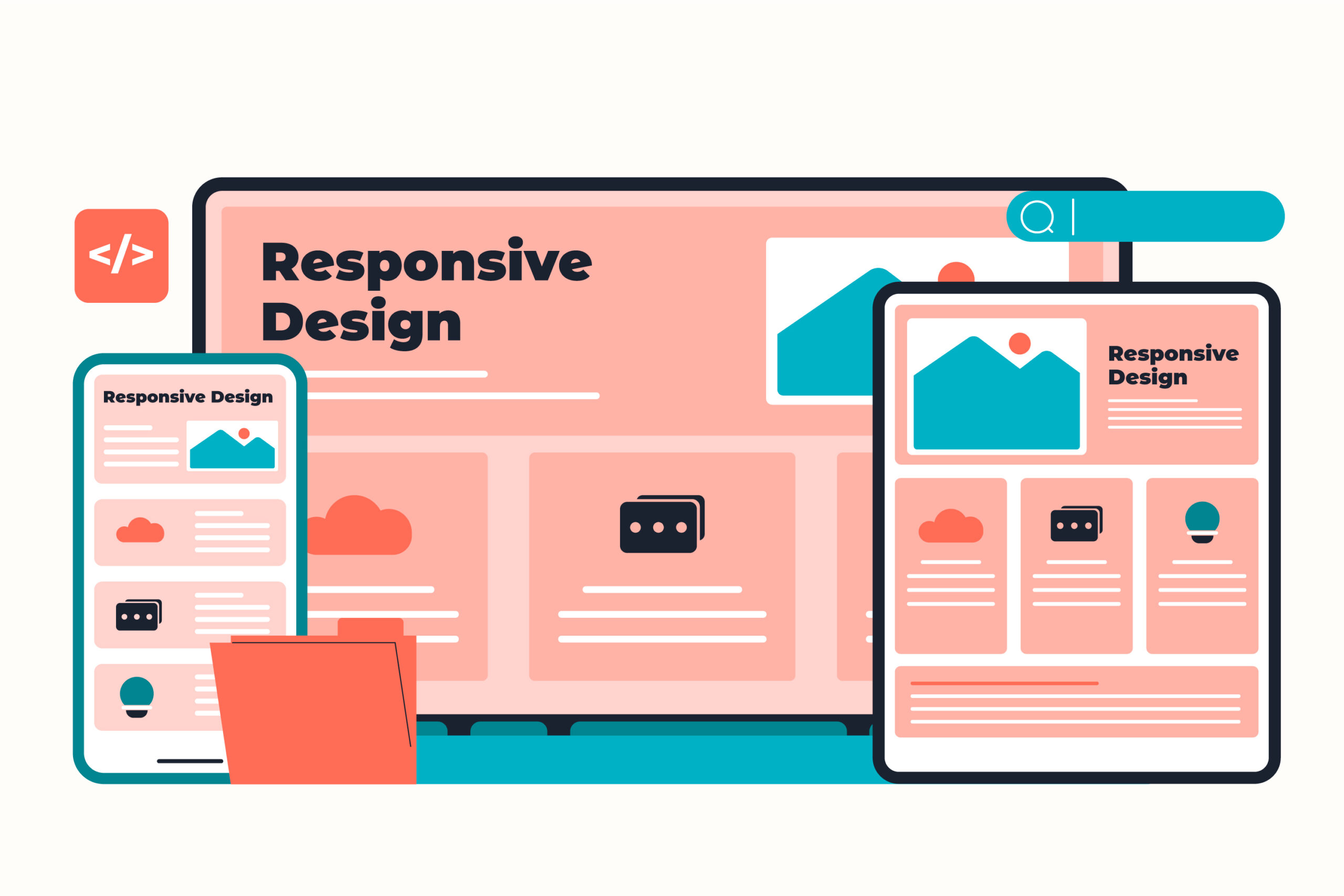
    • Variant B: Responsive two-column layout on desktop, stacking to one column on mobile.

    The Results

    • Variant B (responsive design) delivered a 128% higher click rate with 100% statistical confidence.

    Why? Because this brand’s audience was 80% desktop-dominant.

    For them, the two-column layout meant more articles visible above the fold—more immediate choices, more clicks.

    The “mobile-first” version looked clean everywhere, but it underserved the people who actually clicked.


    Why It Works

    1. Audiences behave differently than assumptions suggest; device mix tells the real story.
    2. Layouts that surface more content above the fold tend to earn more clicks.
    3. Responsive design supports every device, rather than favoring one.

    Try This Week

    Check the device breakdown of your audience. If desktop engagement is strong (let’s say more than 40%), test a responsive two-column layout on content-heavy emails like roundups, catalogs, or newsletters.

    Track clicks and see if giving readers more to see upfront drives more to explore.


    Quick, testable wins for better conversion and retention. That’s low-hanging fruit.

  • The Power of a From Address

    The Power of a From Address

    or “How Optimizing Your Friendly From Address Can Work for You.”

    If you’ve ever managed marketing emails, you know the debate:

    Do you send from “marketing@brand.com” or try something different? Something more human?


    Key Takeaways

    • Using a ‘friendly from’ address, like a specific name instead of a generic one, enhances email recognition and trust.
    • Testing revealed a 9.8% increase in open rates and a 59.3% increase in click-through rates for webinars with personalized ‘from’ addresses.
    • Human signals and context memory help emails stand out in crowded inboxes, improving engagement significantly.
    • Try implementing a recognizable name in your emails, maintaining brand tone, and tracking performance over multiple sends.

    When I worked at an agency, I got bored with the default email address of “marketing@blahblah.com.” There was nothing wrong with it, but it lacked a certain something. So we started experimenting.

    We swapped the generic address for something that matched the brand personality:

    • jeans@wellknownmallstore.com
    • gifts@wellknowngiftretailer.com
    • pets@highendpetstore.com

    Clients loved it because it was cute and captured their brand in a way that “marketing@” just couldn’t do. The “friendly from” (the display name or a more human-readable text that appears in the “from” field of an email) remained the name of the retailer. Most shoppers wouldn’t even notice the difference, but it had an unintended consequence: it made messages easier to find later. Searching Gmail for “jeans” or “gifts” often surfaced our campaigns first, even when there were emails from their competitors in the same inbox. This was a small detail, but an unexpected win.


    Testing It Again. This Time for Webinars

    At my current company, webinars are a major engagement channel. We wondered: could a similar principle apply to event reminders?

    So we tested it.
    Instead of sending reminders and follow-ups from a faceless address, we used the presenter’s name as the “friendly from” and their first name in the “from” address, so the email was <Sarah> sarah@companyname.com.

    Result:

    • +9.8% increase in open rate (100% confidence)
    • +59.3% increase in click-through rate (99% confidence)

    People respond to people. When the “From” line shows a real host, it triggers recognition and trust.


    Why It Works

    1. Human signal: A named sender cuts through inbox noise.
    2. Context memory: Recipients recall previous webinars with the same person and are also more likely to remember signing up when they see that name again.

    Try This Week

    Pick one upcoming webinar or campaign and test a new Friendly From:

    • Use a presenter or recognizable figure (even “Sarah at Brand Name” works).
    • If your email system won’t allow you to change the entire from address, try just changing the friendly from. We’re testing, so just give it a try.
    • Keep tone consistent with the brand voice. But feel free to use first person.
    • Track opens and clicks over at least two sends.

    Quick, testable wins for better conversion and retention. That’s low-hanging fruit.